
Agent Development Kit – 谷歌开源的 AI Agent 开发与部署框架
发布日期:2025-04-25
Agent Development Kit是什么 Agent Development Kit(ADK)是谷歌开源的首个AI...
发布日期:2025-04-25
Agent Development Kit是什么 Agent Development Kit(ADK)是谷歌开源的首个AI...
发布日期:2025-04-25
Z.ai是什么 Z.ai 是智谱面向全球推出的最新模型体验平台,作为智谱开源模型系列...
发布日期:2025-04-25
BiliNote是什么 BiliNote 是开源的 AI 视频笔记助手,支持基于哔哩哔哩、YouTub...
发布日期:2025-04-25
Hailuo AI是什么 Hailuo AI 是AI视频生成工具,海螺AI视频的国际版。Hailuo AI...
发布日期:2025-04-25
爱派是什么 爱派(AiPy)是创新的人工智能助手,基于大语言模型(LLM)与Python...
发布日期:2025-04-25
WaveSpeedAI是什么 WaveSpeedAI 是 AI 图像和视频生成平台,提供多种高性能的 A...
发布日期:2025-04-25
ezsite AI是什么 ezsite AI 是无代码AI工具,能快速生成专业网站和应用。用户只...
发布日期:2025-04-25
Magnitude是什么 Magnitude 是开源的视觉 AI Agents驱动的端到端测试框架。Magn...
发布日期:2025-04-25
Pollinations.AI是什么 Pollinations.AI 是开源的AI内容生成平台,提供免费且易...
发布日期:2025-04-25
Pippit AI是什么Pippit AI 是字节旗下 CapCut 推出的AI营销内容创作平台,专为电商、社交媒体运营和品牌推...
What is Unwatermark AI?
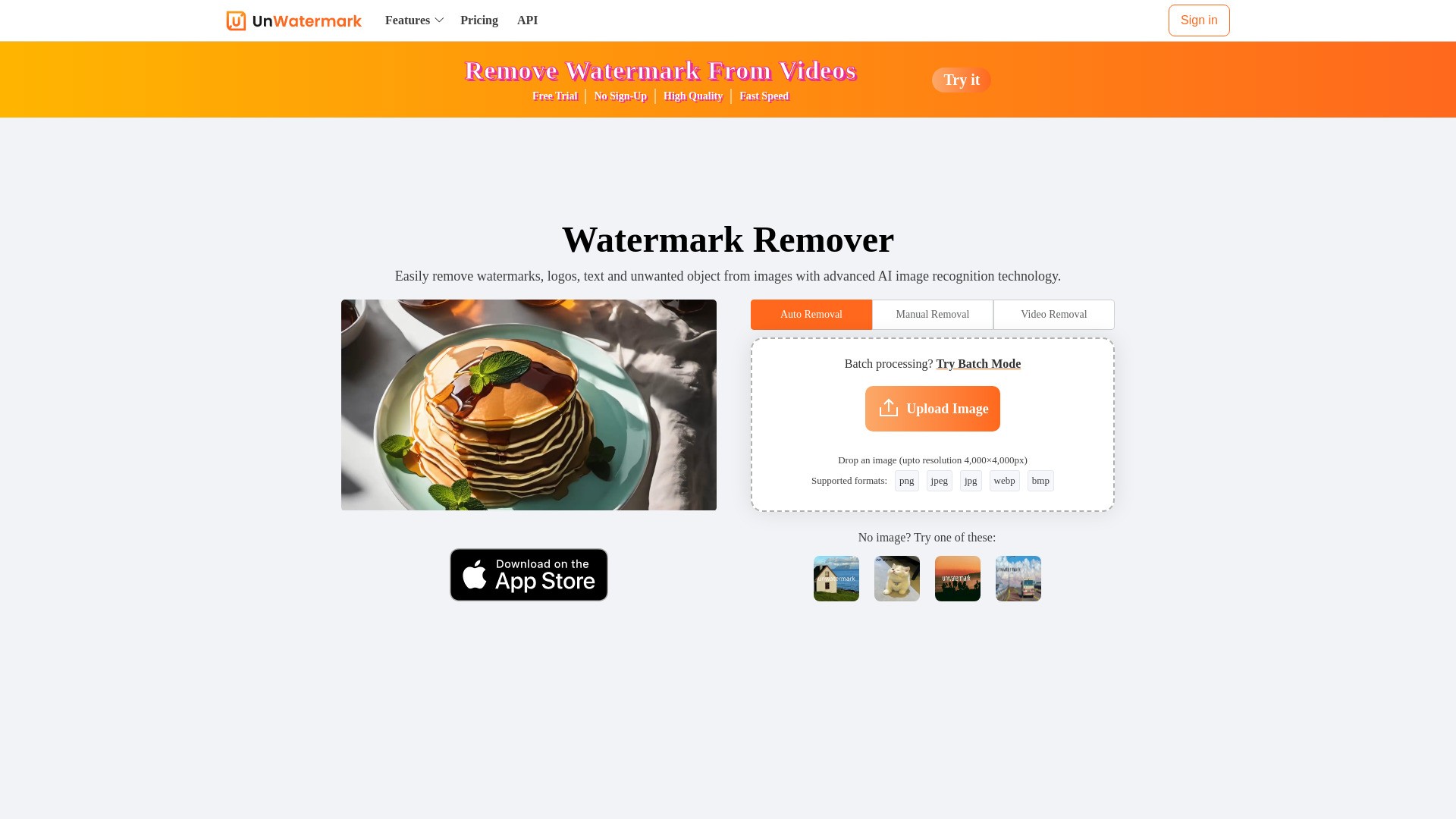
Unwatermark AI is an advanced AI-powered tool designed to remove watermarks, logos, text, and unwanted objects from both images and videos. It offers automatic detection and removal, a manual brush tool for difficult watermarks, and supports batch processing for images. The tool ensures high-quality output, maintaining the original integrity of the content. It is an online, user-friendly platform accessible across various devices (PC, Android, iOS) and supports common image and video formats.
How to use Unwatermark AI?
To use Unwatermark AI, follow these steps:
1. Upload image or video: Upload your watermarked photo or video.
2. Select Watermark with Brush: Use the Brush tool to select the watermark logo or text.
3. AI online Processing: Click the remove button, and the AI will process and remove the watermark from the painted area.
4. Download Clean Image or Video: Download your image or video after the watermark has been removed.
Unwatermark AI's Core Features
Automatic watermark detection and removal
Manual brush tool for precise watermark removal
Removes logos, text, stamps, objects, and AI-generated video watermarks
Batch watermark removal for images (up to 10 at once)
Supports various image (PNG, JPG, JPEG, WebP, BMP) and video (MP4, M4V, MOV) formats
High-quality output, maintaining original content integrity
Online tool, no software installation required
Fast processing speed
Preview function before download
Multi-terminal support (PC, Android, iOS)
Ensures user privacy by not storing uploaded images
Unwatermark AI's Use Cases
#1
Managing and cleaning content materials effectively by removing watermarks from images and videos.
#2
Quickly and efficiently handling various types of watermarks for content creation.
#3
Assisting students in daily studies and creative projects by removing watermarks.
#4
Removing watermarks from content sourced from platforms like YouTube, TikTok, and Instagram.
#5
Cleaning AI-generated images or videos by removing their watermarks.
FAQ from Unwatermark AI
Is Unwatermark AI free to use?
What are Credits and how do they work?
Can I cancel my subscription?
Can I Request a Refund?
Is your payment service secure?
How to Contact Us?
What file types does Unwatermark support for watermark removal?
Can I remove watermarks from AI-generated images or videos?
Does Unwatermark support batch watermark removal?
Does Unwatermark support usage on Android or iOS devices?
Will purchased credits expire?
How do I need to choose the right package?
Unwatermark AI Support Email & Customer service contact & Refund contact etc.
More Contact, visit
the contact us page(https://unwatermark.ai/en/privacy-and-cookies-policy/)
Unwatermark AI Company
Unwatermark AI Company name:
Unwatermark AI
.
Unwatermark AI Company address:
.
More about Unwatermark AI, Please visit
the about us page()
.
Unwatermark AI Login
Unwatermark AI Login Link:
https://unwatermark.ai/pricing/
Unwatermark AI Sign up
Unwatermark AI Sign up Link:
Unwatermark AI Pricing
Unwatermark AI Pricing Link:
https://unwatermark.ai/pricing/
Unwatermark AI Twitter
Unwatermark AI Twitter Link:
https://x.com/Unwatermarkai