
Seedream 3.0 – 字节推出的 AI 图片生成模型,精准生成复杂中文内容
发布日期:2025-04-25
Seedream 3.0是什么 Seedream 3.0(即梦3.0)是字节跳动推出的AI图片生成模型,...
发布日期:2025-04-25
Seedream 3.0是什么 Seedream 3.0(即梦3.0)是字节跳动推出的AI图片生成模型,...
发布日期:2025-04-25
Quasar Alpha是什么 Quasar Alpha 是支持 100 万 token 的超大上下文窗口的预发...
发布日期:2025-04-25
KLING AI是什么 KLING AI(可灵AI国际版) 是快手推出的AI 创意工具。基于强大...
发布日期:2025-04-25
Krillin AI是什么 Krillin AI 是基于大型语言模型(LLMs)的视频翻译、配音和语...
发布日期:2025-04-25
Nova Sonic是什么 Nova Sonic 是亚马逊推出的新型生成式 AI 语音模型。将语音理...
发布日期:2025-04-25
扣子罗盘是什么 扣子罗盘是专为个人开发者及创业团队设计的工具平台,支持开发...
发布日期:2025-04-25
DeepCoder-14B-Preview是什么 DeepCoder-14B-Preview 是 Agentica 和 Together...
发布日期:2025-04-25
Cloudflare Agents是什么 Cloudflare Agents 是用在构建智能代理(Agent)的平...
发布日期:2025-04-25
Miracle F1是什么 Miracle F1 是美图 WHEE 推出的全新AI图像生成模型。具备强大...
发布日期:2025-04-25
EasyControl是什么 EasyControl 是 Tiamat AI 开源的基于扩散变换器(Diffusion...
What is Unwatermark AI?
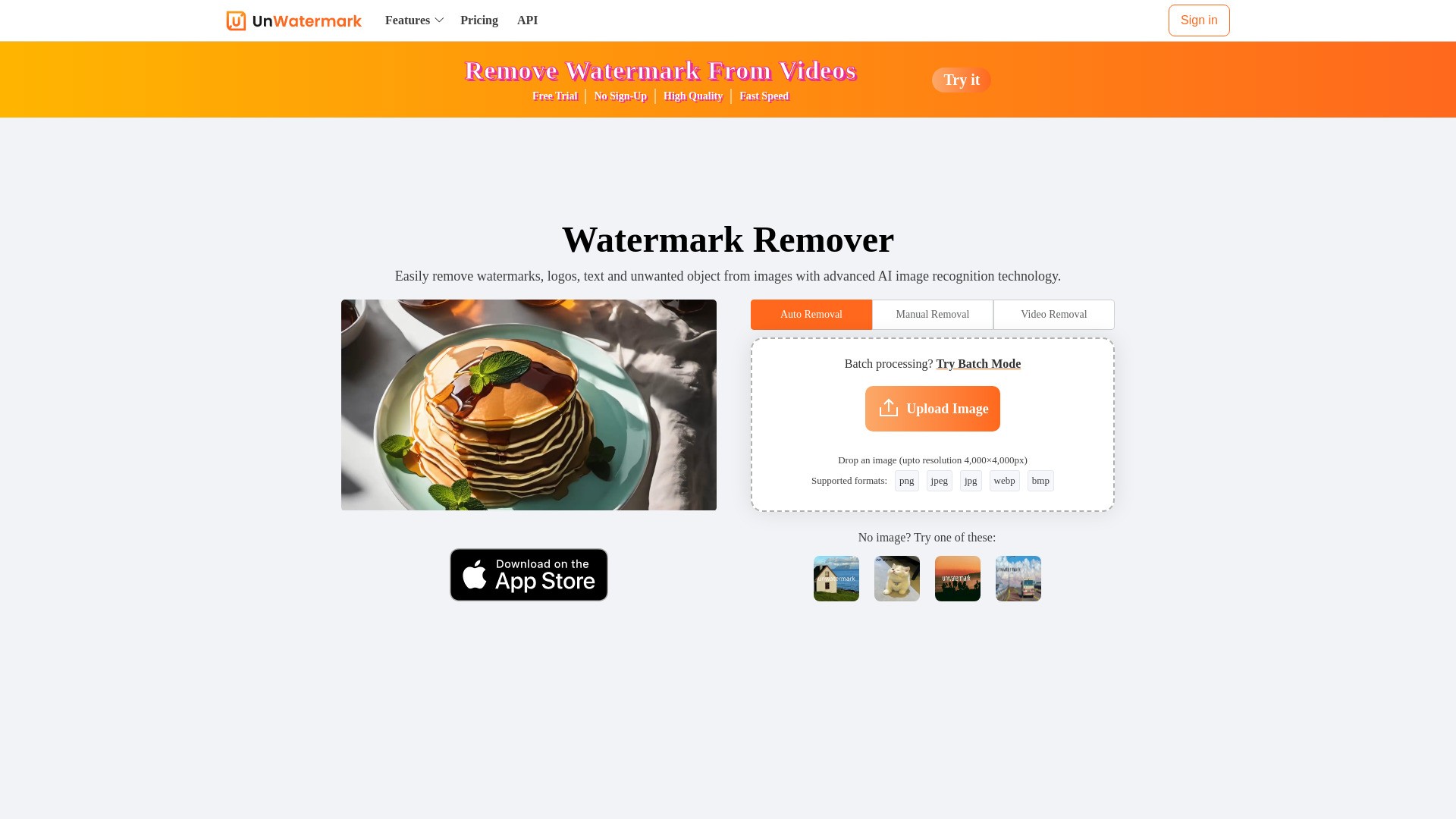
Unwatermark AI is an advanced AI-powered tool designed to remove watermarks, logos, text, and unwanted objects from both images and videos. It offers automatic detection and removal, a manual brush tool for difficult watermarks, and supports batch processing for images. The tool ensures high-quality output, maintaining the original integrity of the content. It is an online, user-friendly platform accessible across various devices (PC, Android, iOS) and supports common image and video formats.
How to use Unwatermark AI?
To use Unwatermark AI, follow these steps:
1. Upload image or video: Upload your watermarked photo or video.
2. Select Watermark with Brush: Use the Brush tool to select the watermark logo or text.
3. AI online Processing: Click the remove button, and the AI will process and remove the watermark from the painted area.
4. Download Clean Image or Video: Download your image or video after the watermark has been removed.
Unwatermark AI's Core Features
Automatic watermark detection and removal
Manual brush tool for precise watermark removal
Removes logos, text, stamps, objects, and AI-generated video watermarks
Batch watermark removal for images (up to 10 at once)
Supports various image (PNG, JPG, JPEG, WebP, BMP) and video (MP4, M4V, MOV) formats
High-quality output, maintaining original content integrity
Online tool, no software installation required
Fast processing speed
Preview function before download
Multi-terminal support (PC, Android, iOS)
Ensures user privacy by not storing uploaded images
Unwatermark AI's Use Cases
#1
Managing and cleaning content materials effectively by removing watermarks from images and videos.
#2
Quickly and efficiently handling various types of watermarks for content creation.
#3
Assisting students in daily studies and creative projects by removing watermarks.
#4
Removing watermarks from content sourced from platforms like YouTube, TikTok, and Instagram.
#5
Cleaning AI-generated images or videos by removing their watermarks.
FAQ from Unwatermark AI
Is Unwatermark AI free to use?
What are Credits and how do they work?
Can I cancel my subscription?
Can I Request a Refund?
Is your payment service secure?
How to Contact Us?
What file types does Unwatermark support for watermark removal?
Can I remove watermarks from AI-generated images or videos?
Does Unwatermark support batch watermark removal?
Does Unwatermark support usage on Android or iOS devices?
Will purchased credits expire?
How do I need to choose the right package?
Unwatermark AI Support Email & Customer service contact & Refund contact etc.
More Contact, visit
the contact us page(https://unwatermark.ai/en/privacy-and-cookies-policy/)
Unwatermark AI Company
Unwatermark AI Company name:
Unwatermark AI
.
Unwatermark AI Company address:
.
More about Unwatermark AI, Please visit
the about us page()
.
Unwatermark AI Login
Unwatermark AI Login Link:
https://unwatermark.ai/pricing/
Unwatermark AI Sign up
Unwatermark AI Sign up Link:
Unwatermark AI Pricing
Unwatermark AI Pricing Link:
https://unwatermark.ai/pricing/
Unwatermark AI Twitter
Unwatermark AI Twitter Link:
https://x.com/Unwatermarkai