Gemini 2.5 Flash – 谷歌推出的最新 AI 推理模型
发布日期:2025-04-25
Gemini 2.5 Flash是什么 Gemini 2.5 Flash 是 Google 推出的高效、低延迟的最新...

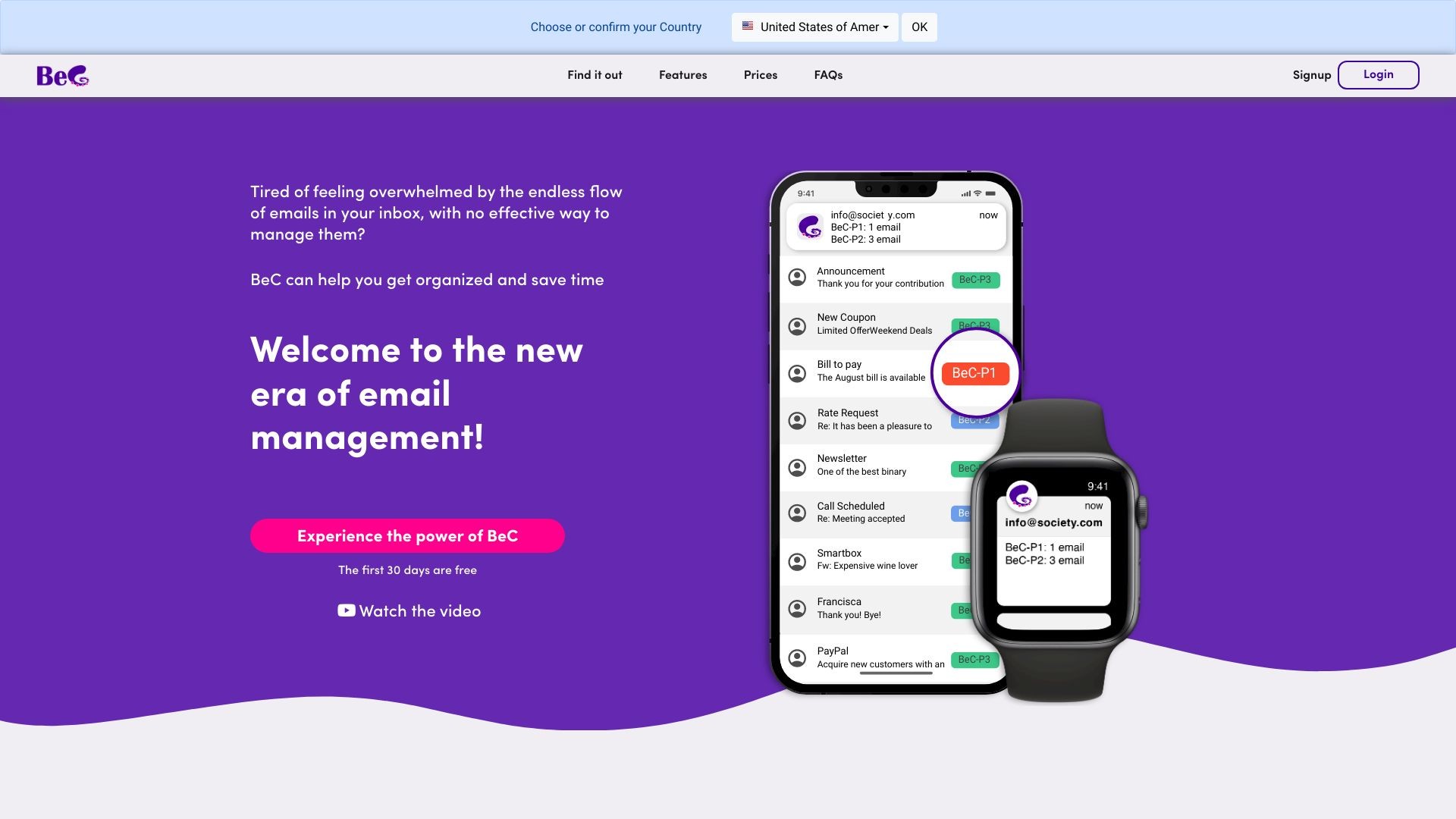
BeC is an AI service for email classification and notification based on priority.
发布日期:2025-04-25
Gemini 2.5 Flash是什么 Gemini 2.5 Flash 是 Google 推出的高效、低延迟的最新...
发布日期:2025-04-25
atypica.AI是什么 atypica.AI 是专注于商业研究的智能体框架,通过语言模型快速...
发布日期:2025-04-25
BrowseComp是什么 BrowseComp 是 OpenAI 开源的用于评估 AI Agent网络浏览能力...
发布日期:2025-04-25
大学搜题酱是什么 大学搜题酱是作业帮旗下针对大学生的AI学习助手,具备多种功...
发布日期:2025-04-25
Krea Stage是什么 Krea Stage 是 Krea 推出的全新 AI 工具,将 2D 图像快速转换...
发布日期:2025-04-25
Pollo AI是什么 Pollo AI 是新加坡公司 HIX.AI 开发的多模态人工智能视频生成工...
发布日期:2025-04-25
Pika Twists是什么 Pika Twists 是 Pika Labs 推出的 AI 视频编辑功能,能让用...
发布日期:2025-04-25
AI Mate是什么 AI Mate 是多功能的AI助手应用,提供丰富的内容创作和办公辅助功...
发布日期:2025-04-25
小布助手是什么 小布助手是OPPO推出的智能语音助手,内置在OPPO、一加、真我rea...
发布日期:2025-04-25
The AI Scientist-v2是什么 The AI Scientist-v2 是 Sakana AI 、不列颠哥伦比...
What is BeC?
BeC is a service that uses artificial intelligence to automatically classify and organize your emails based on their priority. It also provides personalized notifications for important emails.
How to use BeC?
To use BeC, you simply need to sign up for an account and add your email address. BeC will automatically integrate with your existing email provider and client. It will then start processing and categorizing your incoming emails based on your chosen priority levels. You can also customize your notification settings to only receive alerts for important emails on specific devices.
BeC's Core Features
Automatic email classification and organization based on priority
Personalized notifications for important emails
Integration with existing email provider and client
Support for multiple languages
Customizable priority levels
Cumulative notifications for multiple priority emails
Ability to set notifications for different devices
BeC's Use Cases
#1
Efficiently manage a large volume of work-related emails
#2
Separate important emails from advertisements and newsletters in personal mailbox
#3
Avoid distractions and stay focused on important tasks
#4
Easily find and prioritize emails related to specific projects or clients
#5
Simplify the management of multiple email accounts
FAQ from BeC
How does BeC classify emails?
Can I customize the priority levels in BeC?
Can I set notifications for different devices?
Does BeC support multiple languages?
Is BeC compatible with all email providers?
BeC Support Email & Customer service contact & Refund contact etc.
More Contact, visit
the contact us page(https://www.bec-ai.com/contactus)
BeC Company
BeC Company name:
IANUSTEC SRL
.
BeC Login
BeC Login Link:
https://app.bec-ai.com
BeC Sign up
BeC Sign up Link:
https://www.bec-ai.com/signup
BeC Pricing
BeC Pricing Link:
https://www.bec-ai.com/#pricing
BeC Facebook
BeC Facebook Link:
https://www.facebook.com/BeC-by-Ianustec-106564125480216
BeC Youtube
BeC Youtube Link:
https://www.youtube.com/channel/UCAwS8mLOfAaYLVIYgF7z84w
BeC Linkedin
BeC Linkedin Link:
https://www.linkedin.com/company/ianustec
BeC Instagram
BeC Instagram Link:
https://www.instagram.com/BeC.by.Ianustec/