On hold? Your iPhone can listen to the call's music and wait for you - here's how
发布日期:2025-09-24
Hold Assist in iOS 26 will notify you the moment a live agent returns and even show a transcript of what you might have missed.

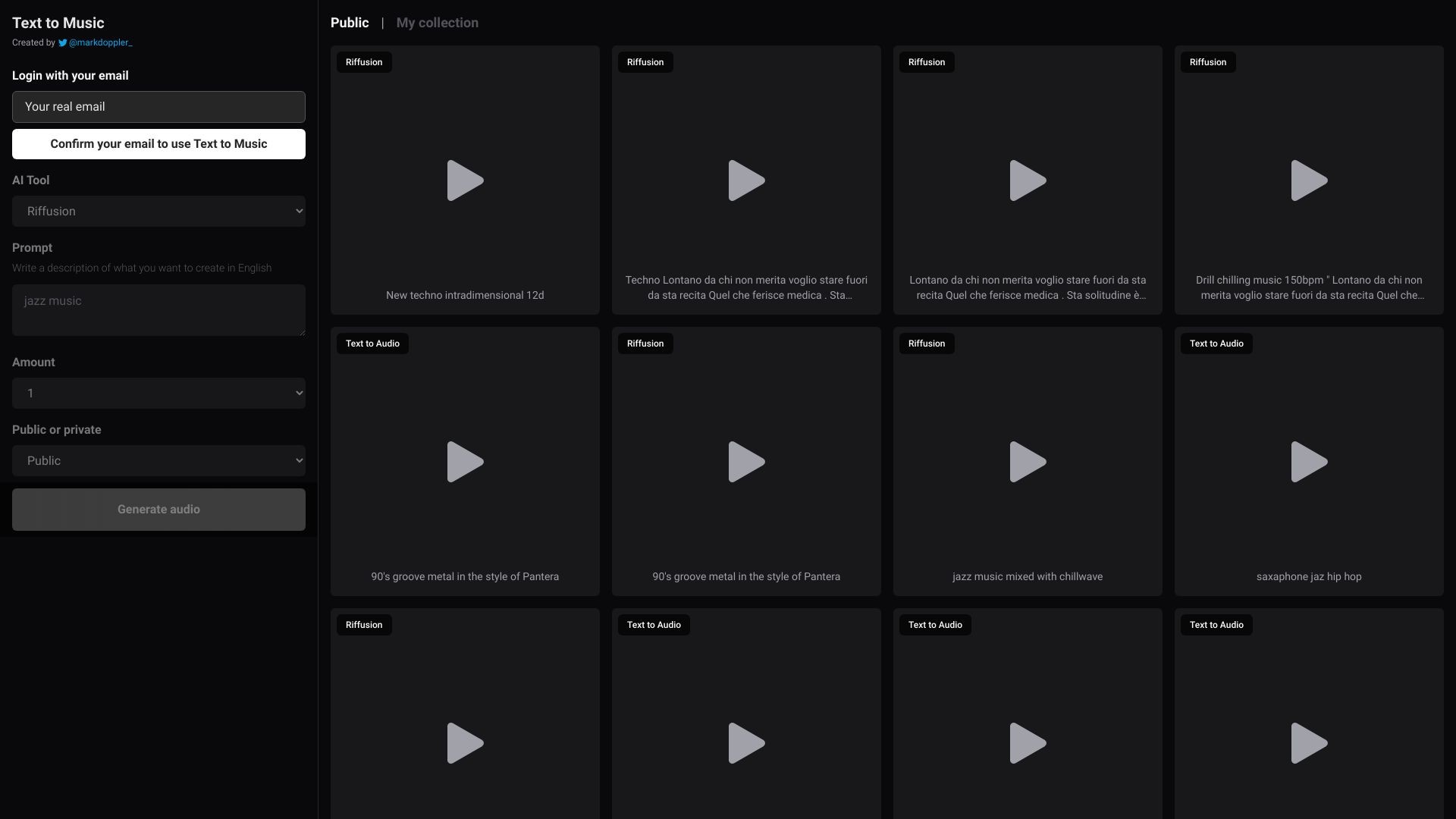
Text to Music uses AI to generate music from user descriptions.
发布日期:2025-09-24
Hold Assist in iOS 26 will notify you the moment a live agent returns and even show a transcript of what you might have missed.
发布日期:2025-08-05
Is ChatGPT the new Hallmark?
What is Text to Music?
Text to Music is a web application that utilizes Artificial Intelligence (AI) to create music based on user-provided descriptions.
How to use Text to Music?
To use Text to Music, start by logging in with your credentials. Once logged in, you can provide a description in English of the music you want to create. Specify the duration of the audio you desire within a range of 1 to 30 minutes. Finally, click on the 'Generate Audio' button to initiate the AI-driven music creation process.
Text to Music's Core Features
1. AI-powered music creation: Utilize cutting-edge Artificial Intelligence technology to convert text descriptions into unique musical compositions.
2. Duration customization: Specify the desired length of the audio output.
3. Public audios: Browse and listen to publicly shared music creations generated by other users.
4. Personal audios: Access and manage your own collection of created music.
Text to Music's Use Cases
#1
1. Music composition: Easily compose original music by providing descriptive text.
2. Background music for videos: Create customized soundtracks for videos and multimedia projects.
3. Experimental music production: Explore AI-generated music for artistic and experimental purposes.
FAQ from Text to Music
Can I use Text to Music without an account?
What language should I use for the music description?
Can I adjust the tempo or genre?
Is there a limit to the number of music creations I can generate?