Gemini 2.5 Flash – 谷歌推出的最新 AI 推理模型
发布日期:2025-04-25
Gemini 2.5 Flash是什么 Gemini 2.5 Flash 是 Google 推出的高效、低延迟的最新...

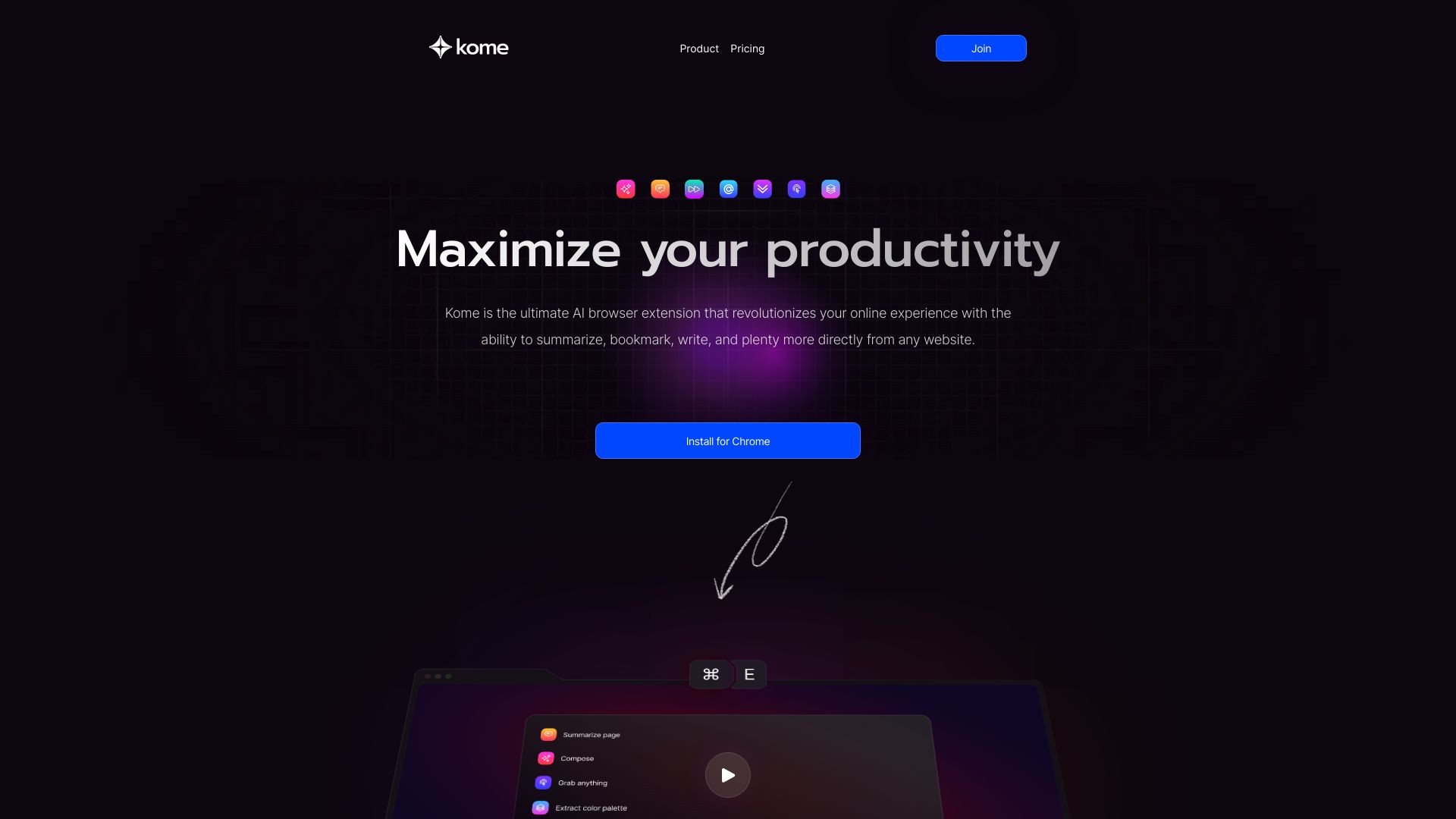
Kome is a browser extension that enhances online browsing with AI-powered tools.
发布日期:2025-04-25
Gemini 2.5 Flash是什么 Gemini 2.5 Flash 是 Google 推出的高效、低延迟的最新...
发布日期:2025-04-25
atypica.AI是什么 atypica.AI 是专注于商业研究的智能体框架,通过语言模型快速...
发布日期:2025-04-25
BrowseComp是什么 BrowseComp 是 OpenAI 开源的用于评估 AI Agent网络浏览能力...
发布日期:2025-04-25
大学搜题酱是什么 大学搜题酱是作业帮旗下针对大学生的AI学习助手,具备多种功...
发布日期:2025-04-25
Krea Stage是什么 Krea Stage 是 Krea 推出的全新 AI 工具,将 2D 图像快速转换...
发布日期:2025-04-25
Pollo AI是什么 Pollo AI 是新加坡公司 HIX.AI 开发的多模态人工智能视频生成工...
发布日期:2025-04-25
Pika Twists是什么 Pika Twists 是 Pika Labs 推出的 AI 视频编辑功能,能让用...
发布日期:2025-04-25
AI Mate是什么 AI Mate 是多功能的AI助手应用,提供丰富的内容创作和办公辅助功...
发布日期:2025-04-25
小布助手是什么 小布助手是OPPO推出的智能语音助手,内置在OPPO、一加、真我rea...
发布日期:2025-04-25
The AI Scientist-v2是什么 The AI Scientist-v2 是 Sakana AI 、不列颠哥伦比...
What is Kome: AI Summary and Bookmark Extension?
Kome is an AI-powered browser extension that provides a range of tools to enhance your online browsing experience. It allows you to instantly summarize articles, news, and YouTube videos, as well as bookmark and organize content from any website.
How to use Kome: AI Summary and Bookmark Extension?
1. Install the Kome extension from your browser's marketplace.2. Click on the Kome icon in your browser toolbar.3. To summarize an article, webpage, or YouTube video, simply click on the 'Summarize' button.4. To bookmark content, click on the 'Bookmark' button and save it to your preferred category.5. Utilize the 'Smart Compose' feature to generate emails, tweets, or blog posts based on your bookmarks or selected content.6. Explore additional features such as extracting emails and colors from websites, automated scrolling, and URL search.
Kome: AI Summary and Bookmark Extension's Core Features
AI-Powered Summarizer: Instantly summarize articles, news, YouTube videos, and websites, improving reading speed by 3x.
Bookmark Manager: Capture and store any piece of content from any website, with easy search and access.
Smart Compose: Utilize bookmarks to generate AI-assisted emails, tweets, and blog posts.
YouTube Transcript Generator: Automatically generate transcripts for YouTube videos.
Extract Emails: Quickly copy all email addresses from a webpage or document.
Extract Colors: Create color palettes from any website or document.
Automated Scrolling: Let the machine do the scrolling for you.
URL Search: Easily search for URLs without navigating away from your current page.
Kome: AI Summary and Bookmark Extension's Use Cases
#1
Effortlessly locate and organize recorded content for easy access and reference.
#2
Improve reading efficiency by quickly getting the main points of articles without reading the entire text.
#3
Keep track of valuable information with the bookmarking feature.
#4
Organize thoughts and ideas by writing notes on web pages.
#5
Enhance daily online experience with time-saving features for content creation and information retrieval.
FAQ from Kome: AI Summary and Bookmark Extension
What is Kome?
How does Kome enhance my online browsing?
Which browsers can I use with Kome?
What features does Kome offer?
How can I access Kome?
Kome: AI Summary and Bookmark Extension Support Email & Customer service contact & Refund contact etc.
Here is the Kome: AI Summary and Bookmark Extension support email for customer service:
[email protected]
.
Kome: AI Summary and Bookmark Extension Company
Kome: AI Summary and Bookmark Extension Company name:
Kome
.
Kome: AI Summary and Bookmark Extension Sign up
Kome: AI Summary and Bookmark Extension Sign up Link:
https://kome.ai/auth/signup
Kome: AI Summary and Bookmark Extension Pricing
Kome: AI Summary and Bookmark Extension Pricing Link:
https://kome.ai/#pricing
Kome: AI Summary and Bookmark Extension Youtube
Kome: AI Summary and Bookmark Extension Youtube Link:
https://youtu.be/n_1sq7wA3Sc
Kome: AI Summary and Bookmark Extension Twitter
Kome: AI Summary and Bookmark Extension Twitter Link:
https://twitter.com/KomeApp