
Gemini 2.5 Flash – 谷歌推出的最新 AI 推理模型
发布日期:2025-04-25
Gemini 2.5 Flash是什么 Gemini 2.5 Flash 是 Google 推出的高效、低延迟的最新...
发布日期:2025-04-25
Gemini 2.5 Flash是什么 Gemini 2.5 Flash 是 Google 推出的高效、低延迟的最新...
发布日期:2025-04-25
atypica.AI是什么 atypica.AI 是专注于商业研究的智能体框架,通过语言模型快速...
发布日期:2025-04-25
BrowseComp是什么 BrowseComp 是 OpenAI 开源的用于评估 AI Agent网络浏览能力...
发布日期:2025-04-25
大学搜题酱是什么 大学搜题酱是作业帮旗下针对大学生的AI学习助手,具备多种功...
发布日期:2025-04-25
Krea Stage是什么 Krea Stage 是 Krea 推出的全新 AI 工具,将 2D 图像快速转换...
发布日期:2025-04-25
Pollo AI是什么 Pollo AI 是新加坡公司 HIX.AI 开发的多模态人工智能视频生成工...
发布日期:2025-04-25
Pika Twists是什么 Pika Twists 是 Pika Labs 推出的 AI 视频编辑功能,能让用...
发布日期:2025-04-25
AI Mate是什么 AI Mate 是多功能的AI助手应用,提供丰富的内容创作和办公辅助功...
发布日期:2025-04-25
小布助手是什么 小布助手是OPPO推出的智能语音助手,内置在OPPO、一加、真我rea...
发布日期:2025-04-25
The AI Scientist-v2是什么 The AI Scientist-v2 是 Sakana AI 、不列颠哥伦比...
What is Imgupscaler AI?
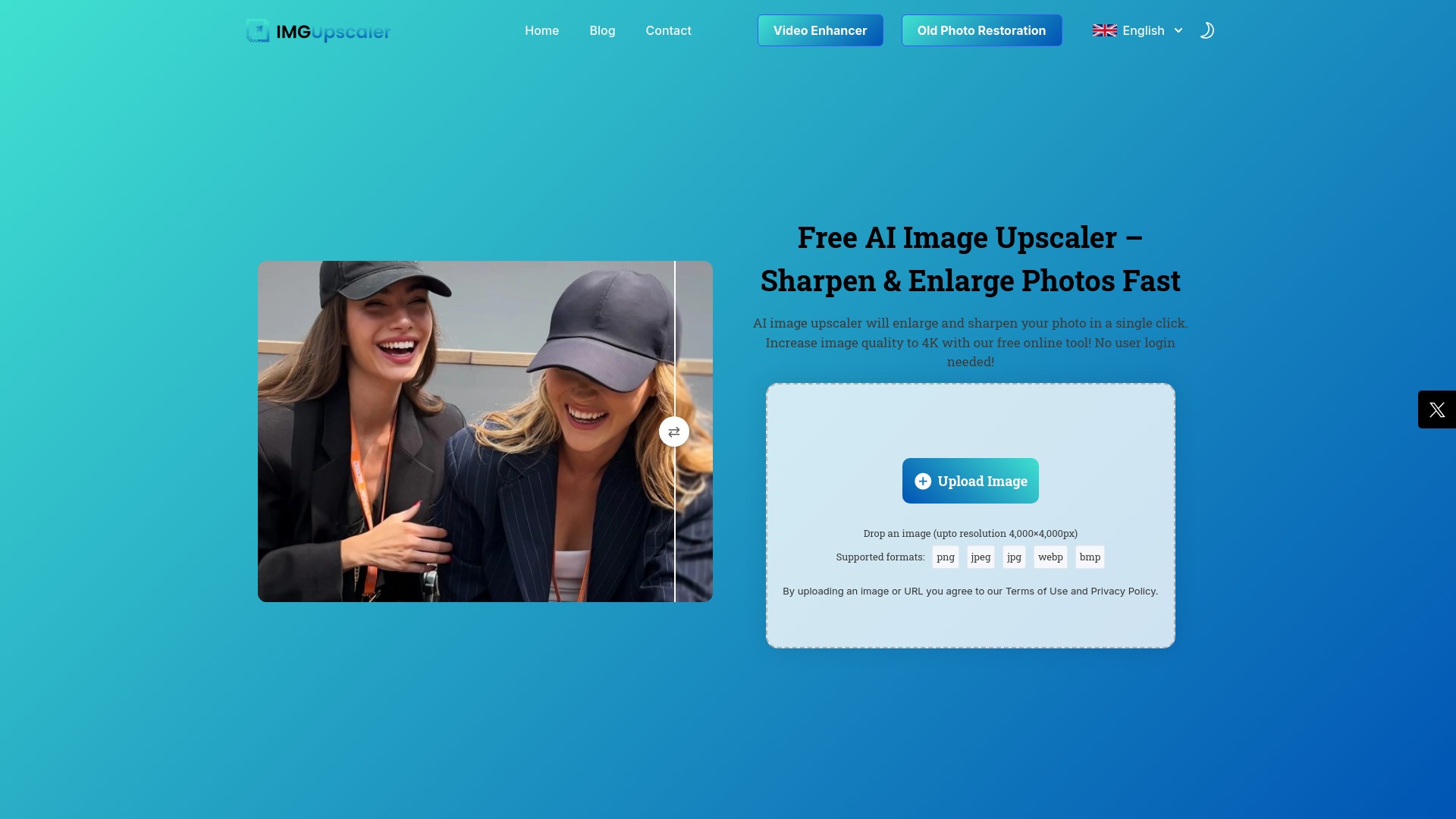
Imgupscaler AI is a powerful, easy-to-use online AI image upscaler that helps users increase image quality, enlarge, sharpen, and enhance photos in seconds. It can transform blurry, pixelated, or low-resolution images by adding missing details, boosting clarity, reducing noise, and restoring lost details, generating high-resolution textures. The tool supports various formats like JPG, PNG, WEBP, BMP, and HEIC, and can enlarge images up to 4x, achieving 4K quality, all without requiring user login or account creation.
How to use Imgupscaler AI?
To use Imgupscaler AI, follow these simple steps: First, upload your image by clicking 'Upload Image' or dragging and dropping a JPG, PNG, WEBP, HEIC, or BMP file into the browser window. Next, the AI upscaler will automatically begin processing, sharpening and enlarging your image up to 2x resolution. Optionally, you can adjust the clarity level to control the final image sharpness and resolution. Finally, download your new high-quality upscaled photo.
Imgupscaler AI's Core Features
AI image upscaling
Sharpen image
Enlarge photos (up to 4x)
Increase image quality to 4K
Reduce noise
Restore lost details
Add missing details
Refine textures
Boost clarity
No user login needed
100% Free
Imgupscaler AI's Use Cases
#1
Photography Professionals: Achieve gallery-quality and print-ready images.
#2
E-commerce and Product Photos: Showcase products in stunning detail to attract customers.
#3
High-Quality Photo Book and Poster Printing: Enhance resolution for large-format prints.
#4
Social Media Content: Make photos look Instagram-ready and stand out.
#5
Real Estate and Architecture: Present properties with high-resolution, clear, and vibrant photos.
#6
APP/Website Graphics: Upgrade low-res images for apps and websites to look sharp and professional.
FAQ from Imgupscaler AI
Is Imgupscaler really free to use?
How many images can I upscale?
What formats do you support?
Can I use this on mobile?
Will my photo look natural after enhancement?
What’s the max resolution I can get?
Is my uploaded image secure?
Imgupscaler AI Support Email & Customer service contact & Refund contact etc.
Here is the Imgupscaler AI support email for customer service:
[email protected]
.
More Contact, visit
the contact us page(https://imgupscaler.ai/contact/)
Imgupscaler AI Company
Imgupscaler AI Company name:
.
Imgupscaler AI Company address:
29 Mayflower Gardens, 31 Mayflower Place, Singapore 568894
.
More about Imgupscaler AI, Please visit
the about us page()
.
Imgupscaler AI Login
Imgupscaler AI Login Link:
Imgupscaler AI Sign up
Imgupscaler AI Sign up Link:
Imgupscaler AI Twitter
Imgupscaler AI Twitter Link:
https://x.com/imgupscale13876