Seedream 3.0 – 字节推出的 AI 图片生成模型,精准生成复杂中文内容
发布日期:2025-04-25
Seedream 3.0是什么 Seedream 3.0(即梦3.0)是字节跳动推出的AI图片生成模型,...

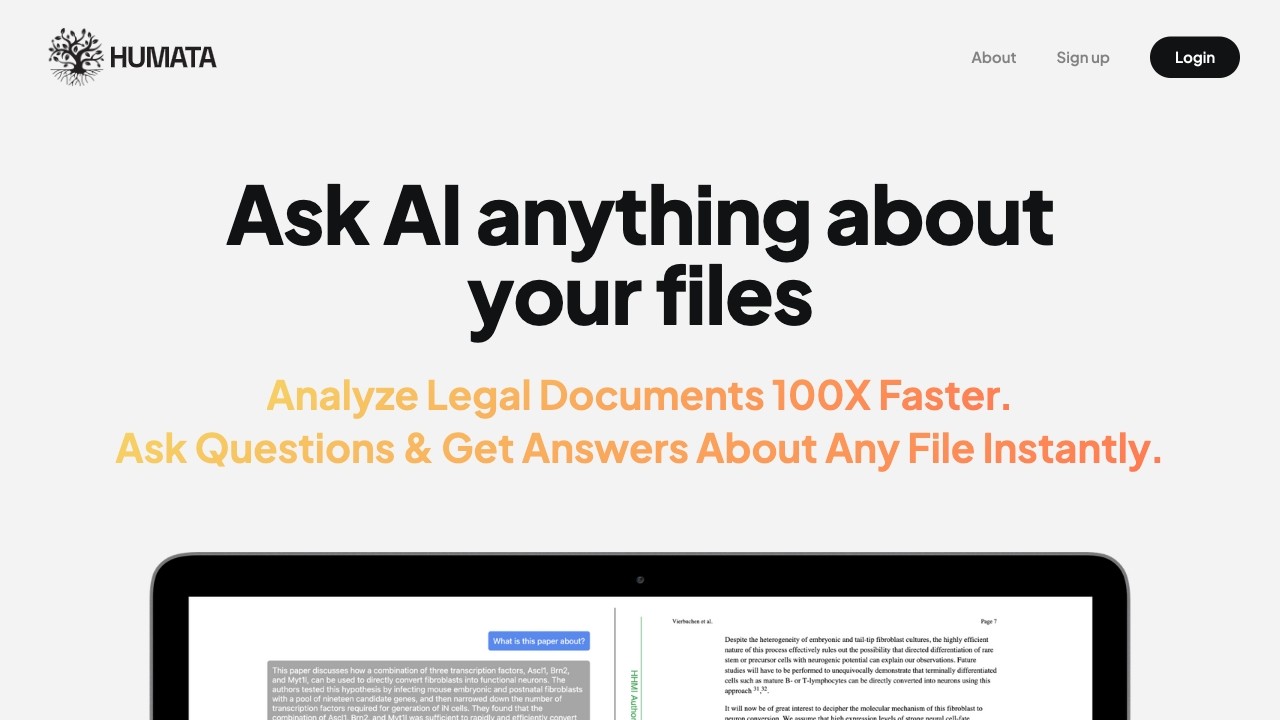
Humata is an AI tool that quickly answers questions about data.
发布日期:2025-04-25
Seedream 3.0是什么 Seedream 3.0(即梦3.0)是字节跳动推出的AI图片生成模型,...
发布日期:2025-04-25
Quasar Alpha是什么 Quasar Alpha 是支持 100 万 token 的超大上下文窗口的预发...
发布日期:2025-04-25
KLING AI是什么 KLING AI(可灵AI国际版) 是快手推出的AI 创意工具。基于强大...
发布日期:2025-04-25
Krillin AI是什么 Krillin AI 是基于大型语言模型(LLMs)的视频翻译、配音和语...
发布日期:2025-04-25
Nova Sonic是什么 Nova Sonic 是亚马逊推出的新型生成式 AI 语音模型。将语音理...
发布日期:2025-04-25
扣子罗盘是什么 扣子罗盘是专为个人开发者及创业团队设计的工具平台,支持开发...
发布日期:2025-04-25
DeepCoder-14B-Preview是什么 DeepCoder-14B-Preview 是 Agentica 和 Together...
发布日期:2025-04-25
Cloudflare Agents是什么 Cloudflare Agents 是用在构建智能代理(Agent)的平...
发布日期:2025-04-25
Miracle F1是什么 Miracle F1 是美图 WHEE 推出的全新AI图像生成模型。具备强大...
发布日期:2025-04-25
EasyControl是什么 EasyControl 是 Tiamat AI 开源的基于扩散变换器(Diffusion...
What is Humata - ChatGPT for all your files?
Humata is an AI-powered tool that allows you to ask questions about your data and get instant answers. It can learn, summarize, synthesize, and extract valuable information from your files 100 times faster.
How to use Humata - ChatGPT for all your files?
To use Humata, sign up for a free account. Upload your files, including PDFs, and ask AI questions about the data. Humata uses advanced AI algorithms to analyze your files and provide you with easy-to-understand answers. You can also use it to generate reports, summarize long papers, understand technical documents, and more.
Humata - ChatGPT for all your files's Core Features
Humata's core features include:
1. Instant Q&A: Ask any question about your files and get immediate answers.
2. Faster Learning: Learn from your data at an accelerated pace.
3. Summarization: Automatically generate simplified summaries of complex technical papers.
4. Insights Discovery: Uncover new insights from your files 100 times faster.
5. Writing Assistance: Generate detailed insights for reports, papers, and various tasks.
6. Secure Document Storage: Your files are securely stored and encrypted in the cloud.
7. File Organization: Save and manage your files within Humata.
Humata - ChatGPT for all your files's Use Cases
#1
Humata can be used for various tasks, such as:
1. Research: Conduct faster and more efficient research by asking AI questions about your data.
2. Learning: Accelerate your learning process by extracting valuable information from your files.
3. Report Writing: Create reports with detailed insights and analysis generated by Humata.
4. Document Analysis: Analyze legal documents, technical papers, and other text-based materials.
5. Knowledge Synthesis: Utilize Humata to synthesize knowledge and discover new connections between different files.
FAQ from Humata - ChatGPT for all your files
Is Humata free to use?
How does Humata work?
How are my documents secured?
Can I ask questions across multiple documents simultaneously?
Humata - ChatGPT for all your files Support Email & Customer service contact & Refund contact etc.
Here is the Humata - ChatGPT for all your files support email for customer service:
[email protected]
.
Humata - ChatGPT for all your files Company
Humata - ChatGPT for all your files Company name:
Humata
.
More about Humata - ChatGPT for all your files, Please visit
the about us page(https://www.humata.ai/company)
.
Humata - ChatGPT for all your files Login
Humata - ChatGPT for all your files Login Link:
https://app.humata.ai/signin
Humata - ChatGPT for all your files Sign up
Humata - ChatGPT for all your files Sign up Link:
https://app.humata.ai/signup
Humata - ChatGPT for all your files Pricing
Humata - ChatGPT for all your files Pricing Link:
https://www.humata.ai/pricing
Humata - ChatGPT for all your files Youtube
Humata - ChatGPT for all your files Youtube Link:
https://www.youtube.com/@HumataAI
Humata - ChatGPT for all your files Linkedin
Humata - ChatGPT for all your files Linkedin Link:
https://www.linkedin.com/company/humata
Humata - ChatGPT for all your files Twitter
Humata - ChatGPT for all your files Twitter Link:
https://twitter.com/HumataAI